


Applications
The TPM firmware update is applicable to the following models.
| Model Name | System Release |
| X600 | MP model |
Update Procedures
Part 1. Create a USB drive for the firmware update.
- Insert a USB drive.
- Format the USB drive to FAT32. (The original data on the USB drive will be erased.)
- Download the IFXTPMWUpd.zip file from download link
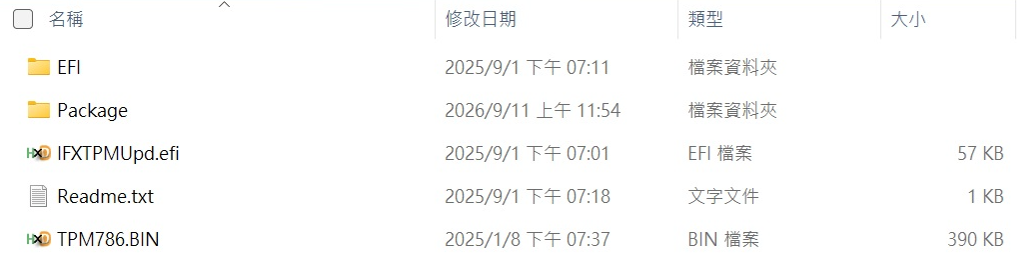
- Decompress the IFXTPMWUpd.zip file to the USB drive. The snapshot below shows the result.
5. Remove the USB drive.
Part 2. Update the TPM firmware.
NOTE: TPM firmware update will cause loss of all TPM keys and data protected by those keys.
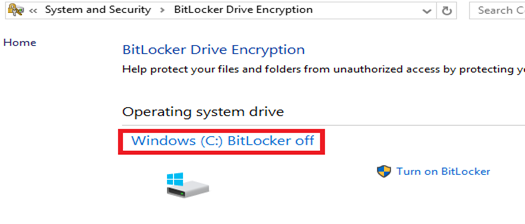
- Disable BitLocker on Windows OS (Windows 11 Pro and Windows Server 2022). Select Control Panel □ System and Security □ BitLocker Drive Encryption. Turn off BitLocker.
- System insert USB TPM firmware update disk
- Enter Boot Manager.
- For notebook models, press F10 during POST.
- For tablet models, press the Menu hardware button or tap the touchscreen during POST. - Select EFI USB Device and press Enter. (On tablet models, the Enter key is the Windows logo
 hardware button.) This allows EFI to boot from the USB drive containing the TPM firmware update.
 - UEFI boot from USB TPM firmware update disk
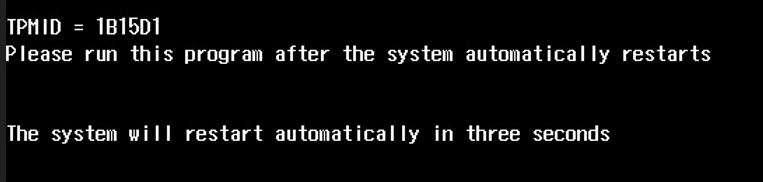
- Execute IFXTPMUpd
- Please run this program after the system automatically restarts
- Enter Boot Manager.
- For notebook models, press F10 during POST.
- For tablet models, press the Menu hardware button or tap the touchscreen during POST. - Select EFI USB Device and press Enter. (On tablet models, the Enter key is the Windows logo hardware button.) This allows EFI to boot from the USB drive containing the TPM firmware update.
- UEFI boot from USB TPM firmware update disk
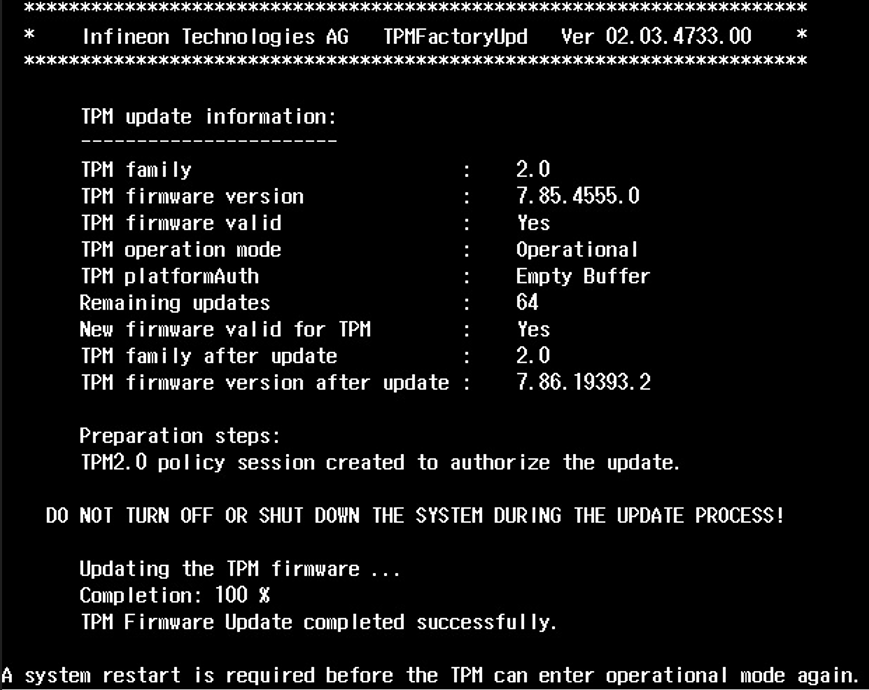
- Execute IFXTPMUpd
- Wait for the TPM firmware update to finish
- Press power button to power off system
- Restart the system.
- October 9, 2025